1. Overview
The Unique() function searches a column vector (array or range) and returns unique values or indices depending on the selected mode.
2. Function Syntax
Unique(vector, [type])
2.1 Parameters
- vector — a one‑column array or range to analyze.
- type — optional mode selector:
- 0 — return a vector of row indices of unique values (first occurrences).
- 1 — return a vector of unique values.
- 2 — return a two‑column array:
- column 1 — unique values
- column 2 — number of occurrences
If type is omitted, it defaults to 1.
3. Examples
3.1 Return unique values
=unique({2; 3; 1; 2; 5; 3; 1}, 1)
returns {1; 2; 3; 5}
3.2 Return indices of first occurrences
=unique({"a"; "b"; "cd"; "a"; "cd"; "b"; "d"}, 0)
returns {1; 2; 3; 5}
3.3 Return unique values with counts
=unique({"a"; "b"; "cd"; "a"; "cd"; "b"; "d"}, 2)
returns {"a", 2; "b", 2; "cd", 2; "d", 1}
4. Inserting Unique() via the Menu
You can insert the Unique() function with two clicks using:
Insert → UNIQUE()
The “Insert UNIQUE()” dialog automatically determines optimal parameters and can copy styles from the selected source range.
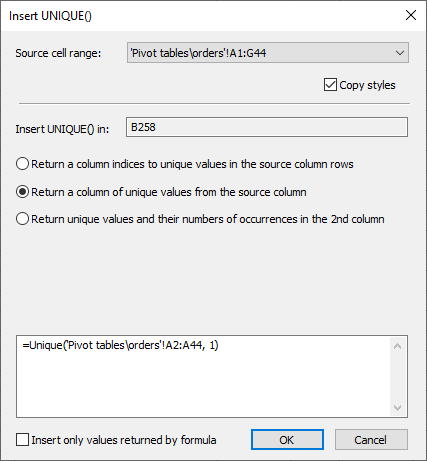
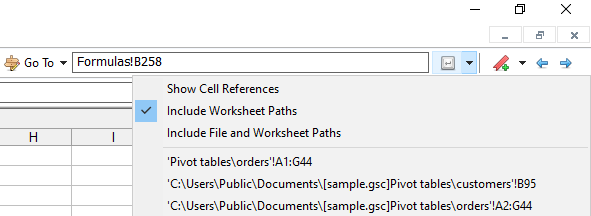
The source range 16‑element list is stored globally in the settings file. New source ranges are added in a circular manner using:
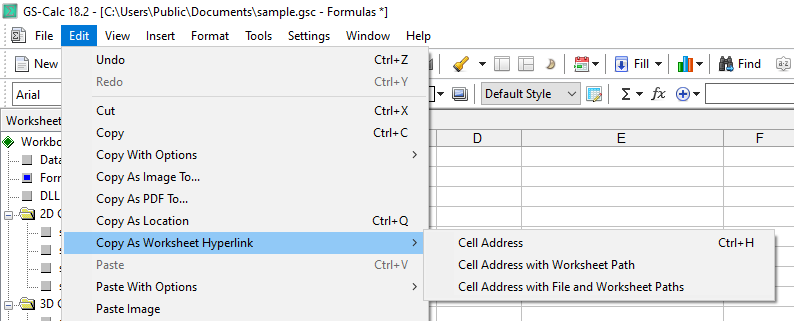
Copy as Location (menu command)
Enter (toolbar button)